 By
By 
Why Does My Mix Sound Great in Studio But Awful Elsewhere?
For over two decades immersed in the intricate world of audio engineering, I've witnessed a common, deeply frustrating phenomenon: the studio mix that sounds like pure gold within those hallowed walls, only to crumble into an unlistenable mess the moment it leaves. This isn't just a minor annoyance; it's a soul-crushing experience that can derail projects and shake an engineer's confidence.
This frustrating inconsistency, where your meticulously crafted soundscape loses its depth, clarity, and punch on consumer systems, is a universal pain point for aspiring and even seasoned mixers. You pour hours into balancing, EQing, and compressing, only to hear your masterpiece sound thin on headphones, boomy in the car, or muddy on a Bluetooth speaker. It’s a stark reminder that a great studio sound doesn't automatically translate to a great real-world sound.
In this definitive guide, I'll pull back the curtain on the core reasons behind this pervasive problem. Drawing from my extensive experience, I'll provide you with actionable frameworks, expert insights, and practical strategies to bridge the gap between your studio's pristine environment and the diverse, often unforgiving, listening conditions of the outside world. Prepare to transform your mixing workflow and achieve consistent, professional results every single time.
The Root Cause: Inconsistent Listening Environments
The most fundamental reason why your mix sounds great in studio but awful elsewhere often boils down to the simple truth: your studio is not the real world. Your carefully controlled acoustic space, high-end monitors, and calibrated listening position create an ideal, yet often unrepresentative, sonic bubble. The moment your mix leaves this bubble, it's exposed to the harsh realities of unoptimized rooms and diverse playback systems.
Think of it this way: a chef tastes their dish in a professional kitchen with perfect lighting and a clean palate. But their customers will eat it in various settings, with different lighting, distractions, and expectations. Your mix faces the same challenge.
Acoustic Treatment: The Unsung Hero
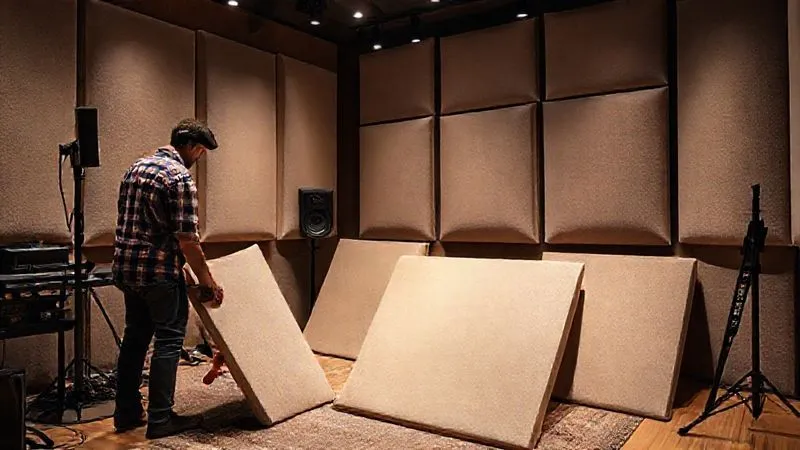
Your studio's acoustics play an enormous role in how you perceive sound. Untreated rooms introduce reflections, standing waves, and flutter echoes that can severely color your perception of frequencies and stereo imaging. What sounds balanced in an untreated room might actually have exaggerated bass or scooped mids, which only become apparent when played back in a neutral environment.
Proper acoustic treatment – bass traps, diffusers, and absorption panels – creates a flatter, more accurate frequency response at your listening position. This allows you to hear your mix, not your room. Without it, you're essentially mixing blindfolded, making decisions based on faulty sonic information.
Monitor Calibration: Your Sonic Compass
Even with excellent acoustic treatment, uncalibrated studio monitors can lead you astray. Monitors, even high-end ones, have their own frequency biases. Calibration tools, like room correction software (e.g., Sonarworks SoundID Reference) or a measurement microphone and analysis software, help flatten your monitors' frequency response in your specific room. This ensures that what you hear is as close to an uncolored representation of your audio as possible.
A well-calibrated system provides a consistent reference point. Without it, you might be constantly overcompensating for your monitors' deficiencies, leading to mixes that sound great on your system but unbalanced everywhere else. It’s like trying to navigate with a compass that’s always pointing slightly off-north.
Ear Fatigue: The Silent Mix Killer
One of the most insidious reasons your mix sounds great in studio but awful elsewhere is the often-underestimated impact of ear fatigue. When you spend hours listening to the same track at moderate-to-loud volumes, your ears and brain start to adapt, becoming less sensitive to certain frequencies and dynamics. This can lead to skewed mixing decisions.
I've seen countless engineers push the high-end or bass frequencies too hard in the later stages of a session because their ears have become accustomed to the current balance, perceiving a lack where none truly exists. This "mix creep" results in a mix that might sound acceptable to your fatigued ears but harsh, boomy, or simply unbalanced to fresh ears on a different system.
- Take Regular Breaks: Every 45-60 minutes, step away from your monitors for at least 10-15 minutes. Go for a walk, grab a coffee, or simply rest your ears.
- Mix at Moderate Volumes: Avoid blasting your mix for extended periods. Most professional engineers mix at around 80-85 dB SPL (C-weighted, slow response) for critical listening, often lower for general balancing.
- Vary Your Listening Levels: Briefly listen to your mix at very low volumes. If you can still hear all the important elements clearly, your mix has good balance and compression.
- Use White Noise/Pink Noise: Periodically play pink noise through your monitors at a moderate level for a minute or two. This helps "reset" your ears and highlights any frequency imbalances in your room or monitors.
Over-Reliance on Headphones vs. Speakers
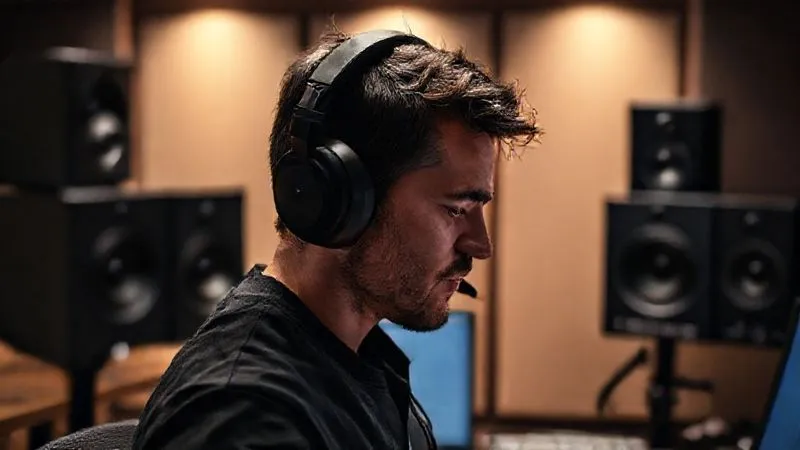
The choice of listening device significantly impacts your perception of a mix. Headphones and speakers present sound in fundamentally different ways, and relying too heavily on one over the other can lead to mixes that don't translate.
Headphones offer incredible detail and a wide stereo image, often revealing subtle reverb tails or panning choices that might be missed on speakers. However, they lack the physical interaction with a room and the cross-feed between ears that speakers provide. This can lead to mixes that sound unnaturally wide or have problematic low-end phase issues that are masked by the headphone experience.
Speakers, conversely, allow you to experience the mix as it interacts with a physical space, simulating a more natural listening scenario. They also provide crucial information about mono compatibility and the overall "feel" of the bass frequencies. However, even the best speakers are still subject to room acoustics, and they can sometimes obscure fine details that headphones reveal.
The key is to use both strategically. Start with speakers for overall balance and dynamics, then switch to headphones for surgical EQ, reverb tails, and fine-tuning stereo imaging. Always cross-reference.
The Reference Track Imperative: Your Sonic Benchmark
One of the most powerful tools in an audio engineer's arsenal, yet often overlooked, is the strategic use of reference tracks. If you're wondering why your mix sounds great in studio but awful elsewhere, it might be because you lack an objective benchmark for what a professional, well-translated mix actually sounds like.
A reference track is a commercially released song in a similar genre and style to your own, which you know sounds excellent on a variety of playback systems. By comparing your mix to these professional examples, you gain invaluable insight into loudness, frequency balance, stereo width, dynamics, and overall polish. It's not about copying, but about learning and calibrating your ears.
How to Effectively Use Reference Tracks:
- Choose Wisely: Select 3-5 tracks that are sonically excellent, well-produced, and stylistically similar to your project. Ensure they are high-quality WAV or AIFF files, not lossy MP3s.
- Level Match: Critically important! Your reference track will likely be louder than your unmastered mix. Use a gain plugin to match its perceived loudness to your mix. This prevents your brain from automatically preferring the louder track.
- A/B Regularly: Toggle between your mix and the reference track frequently, focusing on specific aspects: bass clarity, vocal presence, snare punch, overall width, and depth.
- Listen on Different Systems: Take your reference tracks with you when you test your mix on various consumer systems. This helps you understand how professional mixes translate and provides a target for your own work.
| Reference Track Type | Key Characteristics | When to Use |
|---|---|---|
| Commercial Pop | Loudness, wide stereo, punchy bass, clear vocals | Modern Pop, EDM, Hip-Hop, R&B |
| Acoustic Folk | Dynamic range, natural instrument timbre, vocal intimacy, spaciousness | Folk, Jazz, Classical, Singer-Songwriter |
| Rock/Metal | Aggressive guitars, tight drums, powerful vocals, impactful low-mids | Rock, Metal, Hardcore, Punk |
| Electronic Ambient | Deep soundscapes, evolving textures, subtle dynamics, broad frequency spectrum | Ambient, Chillwave, Downtempo, Film Scores |
"The goal of using reference tracks isn't to copy another artist's sound, but to train your ears to recognize what a well-balanced, commercially competitive mix sounds like across various playback systems." - Expert Insight
Lack of Mix Checking on Diverse Systems
This is perhaps the most direct answer to why your mix sounds great in studio but awful elsewhere. Too many engineers spend 99% of their time in their ideal studio environment and neglect to test their mix where their audience will actually hear it. Your listeners aren't listening on perfectly calibrated monitors in an acoustically treated room; they're in cars, on AirPods, through laptop speakers, and on cheap Bluetooth devices.
The only way to ensure your mix translates is to actively test it on these diverse, real-world systems. This process, often called "mix checking" or "translation testing," is non-negotiable for professional results.
The "Car Test" isn't a Myth – It's Essential
The car stereo test is legendary for a reason. Cars often have unique acoustic environments, road noise masking certain frequencies, and typically less-than-ideal speaker setups. If your mix sounds good in a car, it's a strong indicator of good low-end translation and overall balance. But don't stop there.
- Car Stereo: Listen for bass translation, vocal clarity amidst road noise, and overall balance.
- Consumer Headphones/Earbuds: Apple AirPods, inexpensive earbuds, and popular consumer headphones provide insights into how most people experience music. Check for harshness, sibilance, and overall clarity.
- Laptop/Phone Speakers: These are the ultimate test for midrange clarity and mono compatibility, as they often have limited frequency response and no stereo separation. Can you still hear the lead vocal and main instruments?
- Bluetooth Speakers: These vary wildly in quality but are ubiquitous. Check for muddy bass or harsh highs.
- Mono Summing: Most DAWs have a mono button. Listen to your mix in mono. If elements disappear or phase issues become apparent, you have work to do on your stereo image and phase relationships. Sound On Sound offers an excellent deep dive into mono compatibility.
According to a recent industry survey by Pro Sound Network, over 70% of professional mixing engineers regularly check their mixes on at least three different consumer playback systems before final delivery. This statistic underscores the critical importance of this step.
Dynamic Range Compression & Limiting Mismanagement
The "loudness wars" of the past decade have left many engineers with a habit of over-compressing and over-limiting their mixes. While some compression is essential for shaping dynamics and adding punch, excessive use can suck the life out of a mix, leading to a flat, fatiguing, and ultimately unprofessional sound that won't translate well.
When a mix is excessively compressed, subtle nuances are crushed, and the natural ebb and flow of the music are lost. On smaller, less dynamic playback systems, this can make the mix sound even more squashed and lifeless. Conversely, too little compression can result in a mix that lacks glue and impact, struggling to compete with commercially released tracks.
Case Study: Echo Studios' Dynamic Shift
Echo Studios, a boutique post-production house, faced consistent client complaints about their mixes sounding "flat" or "lacking punch" outside the studio, even though they sounded vibrant on their high-end monitors. Their engineers, accustomed to a loud studio playback, were over-compressing their masters to achieve perceived loudness.
By implementing a new protocol focused on dynamic range analysis using tools like a loudness meter (LUFS) and integrating more judicious use of parallel compression, they dramatically improved their mix translation. They specifically targeted an average integrated LUFS of -14 for streaming services, allowing for more natural dynamics. This resulted in a 40% reduction in client revisions related to "mix flatness" and a significant boost in client satisfaction, demonstrating that controlled dynamics are crucial for consistent translation.
The key is balance. Use compression to shape and control, not to squash. Aim for a healthy dynamic range that allows your music to breathe and respond to different playback environments.
Ignoring the Importance of Mastering
Many aspiring engineers confuse mixing with mastering, or they simply skip the mastering stage altogether. This is a critical mistake and a major reason why your mix sounds great in studio but awful elsewhere. Mixing is about balancing all the individual elements within a song; mastering is the final polish that prepares the mix for distribution and ensures optimal playback across all systems.
A professional mastering engineer works in a highly calibrated environment, using specialized tools and a fresh set of ears to:
- Optimize Loudness: Achieve competitive loudness levels without sacrificing dynamics, adhering to industry standards (e.g., LUFS targets for streaming).
- Enhance Frequency Balance: Make subtle EQ adjustments to ensure the mix sounds balanced on any system.
- Improve Stereo Width and Depth: Enhance the overall spatial characteristics.
- Ensure Mono Compatibility: Double-check that the mix holds up when summed to mono.
- Add Final Polish: Apply subtle compression, limiting, and saturation to give the track a professional sheen.
While you can do a "pre-master" yourself, a dedicated mastering engineer offers an invaluable objective perspective and the expertise to make those crucial final adjustments that ensure your mix translates beautifully. Consider it the final quality control check before your music goes out into the world. iZotope provides a comprehensive guide on the nuances of audio mastering.
Mastering Your Workflow: A Holistic Approach to Mix Translation
Ultimately, achieving consistent mix translation isn't about one magic bullet; it's about adopting a holistic workflow that addresses all the potential pitfalls we've discussed. It's an iterative process of mixing, referencing, checking, and refining. You need to cultivate an awareness of your listening environment's limitations and actively work to overcome them.
My advice, forged over years in the trenches, is to integrate these practices into every mixing session:
- Start with a Solid Foundation: Ensure your room is treated, and your monitors are calibrated. This is non-negotiable.
- Fight Ear Fatigue: Regular breaks and moderate listening volumes are non-negotiable for objective mixing.
- Embrace Diversity: Use both headphones and speakers, and critically check your mix on a wide array of consumer playback systems.
- Reference Relentlessly: Professional reference tracks are your compass in the sonic wilderness.
- Master Dynamics: Avoid over-compression; let your mix breathe and maintain a healthy dynamic range.
- Embrace Mono Compatibility: Regularly check your mix in mono to catch phase issues early.
- Plan for Mastering: View mastering as an essential final step, handled by a professional if possible.
| Problem Symptom | Likely Cause | Actionable Fix |
|---|---|---|
| Bass disappears on small speakers | Poor low-end translation/phase issues, excessive sub-bass | Check low-end mono compatibility, use HPF judiciously, reference on small speakers, analyze frequency spectrum |
| Mix sounds harsh/bright elsewhere | Over-bright studio monitors or room reflections, sibilance | Calibrate monitors, check high-end with reference tracks, use dynamic EQ to tame harsh frequencies, de-ess vocals |
| Vocals get buried outside studio | Poor vocal compression/leveling, masking frequencies from other instruments | Ensure vocal presence with automation/compression, clear space in mix for vocals (sidechain, EQ), check vocal level on consumer systems |
| Mix lacks punch or impact | Over-compression, lack of transient control, poor drum/bass balance | Use parallel compression, shape transients with gates/expanders, ensure drum and bass elements have distinct space and punch, reference dynamics |
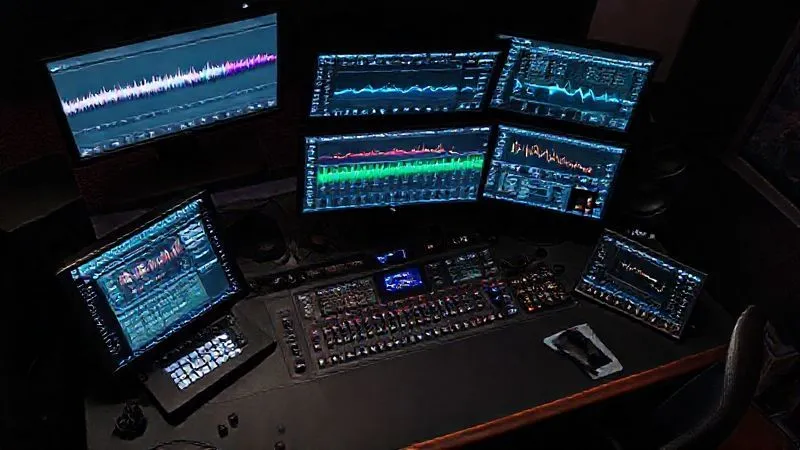
The journey to consistent mix translation is a continuous learning curve, but by integrating these expert strategies, you'll find yourself far less often asking, "Why does my mix sound great in studio but awful elsewhere?" Instead, you'll be confidently delivering mixes that resonate with your audience, no matter where they listen.
The Audio Engineering Society (AES) offers invaluable resources and educational content for continuous learning in audio production.Frequently Asked Questions (FAQ)
Q: How much acoustic treatment do I really need for a home studio? A: For a home studio, prioritize treating the first reflection points on your side walls and ceiling, behind your monitors, and bass trapping in corners. Even a moderate amount of well-placed absorption and diffusion can make a significant difference. Start with bass traps and broad-band absorption, then expand as needed.
Q: Should I mix exclusively in mono sometimes? A: While not exclusively, regularly checking your mix in mono is crucial. It helps identify phase issues, ensures your main elements (vocals, kick, snare) remain prominent, and verifies that your mix maintains its integrity on mono playback systems like smartphones or older radios. It's a diagnostic tool, not a primary mixing environment.
Q: What's a good target loudness (LUFS) for streaming services? A: Most streaming services (Spotify, Apple Music, YouTube) normalize tracks to around -14 LUFS Integrated. Aiming for this target in your mix and master will ensure your track isn't turned down excessively, preserving its dynamics. Avoid pushing for extreme loudness; focus on a balanced, dynamic master.
Q: Can affordable monitors or headphones provide good mix translation? A: Absolutely. While high-end gear offers advantages, excellent mixes are made with modest setups all the time. The key is to know your gear intimately, understand its limitations, and compensate through diligent referencing and mix checking on diverse systems. Calibration software can also significantly improve the performance of budget monitors.
Q: How often should I recalibrate my studio monitors? A: Ideally, you should recalibrate your monitors and room periodically, perhaps every 3-6 months, or whenever you make significant changes to your room setup (moving furniture, adding new gear). Even minor shifts can impact your acoustic environment and monitor response.
Key Takeaways and Final Thoughts
Navigating the treacherous waters of mix translation can be daunting, but it's a challenge every professional audio engineer faces. The journey from a studio-perfect sound to a universally great mix is paved with intentional practice and a deep understanding of how sound behaves outside your controlled environment. Let's recap the essentials:
- Your Room is Key: Invest in acoustic treatment and monitor calibration to ensure you're hearing an accurate representation of your mix.
- Fight Ear Fatigue: Regular breaks and moderate listening volumes are non-negotiable for objective mixing.
- Embrace Diversity: Use both headphones and speakers, and critically check your mix on a wide array of consumer playback systems.
- Reference Relentlessly: Professional reference tracks are your compass in the sonic wilderness.
- Master Dynamics: Avoid over-compression; let your mix breathe and maintain a healthy dynamic range.
- Don't Skip Mastering: It's the crucial final step that bridges the gap between a great mix and a commercially viable track.
Remember, the goal isn't just to make your mix sound good in your studio; it's to make it sound great *everywhere*. By diligently applying these principles and cultivating a workflow that prioritizes translation, you'll not only solve the frustrating problem of inconsistent mixes but also elevate your craft to a truly professional level. Keep learning, keep experimenting, and trust your ears – but always verify them against the real world. Your audience will thank you for it.
Explore the Recording Academy's technical awards to see the standards of audio excellence.Recommended Reading
- Fix Live Stream Lag: Your Ultimate Guide to Crystal-Clear Audio & Video
- 7 Fixes: Why Hybrid Cloud Data Sync Fails for Large Datasets
- 7 Essential Strategies: How to Secure CI Pipelines from Supply Chain Attacks
- 5 Steps to Optimize Cobot Safety Programming for ISO 10218 Compliance
- 5 Expert Fixes: How to Resolve Audio Sync Issues in Multi-Cam Video Editing






0 Comentários: