 By
By 
Gaining Stakeholder Buy-In for Accessibility in UX Sprints: 5 Proven Strategies
For over 15 years in the trenches of UX/UI design, I've witnessed countless design teams grapple with a persistent, often frustrating challenge: securing genuine stakeholder buy-in for accessibility initiatives within the fast-paced, iterative world of UX sprints. It's a scenario I know all too well – the passionate plea for inclusive design met with blank stares, budget concerns, or the infamous 'we'll get to it later' dismissal.
The problem isn't a lack of understanding of what accessibility is, but rather a profound disconnect in how its value is perceived, especially when pitted against tight deadlines and immediate feature demands. Many stakeholders see accessibility as an 'add-on' or a 'nice-to-have' rather than a foundational element of a robust, ethical, and profitable product. This perspective often leads to accessibility being deprioritized, relegated to technical debt, or worse, ignored entirely.
But what if I told you there are concrete, actionable strategies to bridge this gap? In this definitive guide, I'll share five proven frameworks and expert insights to not only gain, but sustain, stakeholder buy-in for accessibility in your UX sprints. We'll move beyond mere compliance to demonstrate how inclusive design drives business value, enhances brand reputation, and ultimately, creates better products for everyone.
The Core Challenge: Why Stakeholders Resist Accessibility
Before we can build a bridge, we must first understand the chasm. The resistance to integrating accessibility into UX sprints isn't usually malicious; it's often rooted in a combination of misconceptions, perceived barriers, and a lack of clear articulation of its business value. I've seen this play out time and again.
Misconceptions and Perceived Barriers
One of the biggest hurdles is the belief that accessibility is expensive, time-consuming, and will stifle innovation. Stakeholders often envision retrofitting existing products, which indeed can be costly and difficult. They might also worry that accessibility constraints will lead to aesthetically compromised designs or complex development cycles that slow down sprint velocity.
Another common misconception is that accessibility only benefits a tiny fraction of users. This overlooks the broad spectrum of temporary, situational, and permanent disabilities, as well as the 'curb cut effect' where features designed for people with disabilities benefit everyone. Think about closed captions, which are essential for the deaf community but also invaluable in noisy environments or when learning a new language.
The Business Case Blind Spot
Often, UX designers advocate for accessibility from a place of empathy and ethical responsibility, which is commendable but doesn't always resonate with stakeholders driven by KPIs, revenue targets, and market share. The business case for accessibility is frequently underdeveloped or poorly communicated, leaving stakeholders with no clear understanding of the return on investment (ROI).
"The biggest mistake I see designers make is trying to sell accessibility purely on ethics. While ethics are crucial, you must translate that into the language of business: market growth, risk mitigation, brand loyalty, and innovation." — My personal insight.

Strategy 1: Quantify the Business Value & ROI of Inclusive Design
To truly gain stakeholder buy-in, you must speak their language: the language of business. This means moving beyond ethical arguments and presenting a compelling case for the financial and strategic advantages of accessibility. This is where your expertise as an industry specialist truly shines.
Demonstrating Market Reach and Brand Reputation
According to a Deloitte report, companies championing disability inclusion consistently outperform their peers in revenue, net income, and economic profit. People with disabilities represent a massive global market with significant spending power, and their friends and family often follow their lead in purchasing decisions. By making your product accessible, you tap into this underserved market.
Furthermore, an accessible product significantly enhances your brand's reputation. In today's socially conscious market, companies that demonstrate a commitment to inclusivity are viewed more favorably, leading to increased customer loyalty and positive public perception. This isn't just about avoiding bad press; it's about building genuine goodwill.
Mitigating Legal and Reputational Risks
The legal landscape surrounding digital accessibility is evolving rapidly. Non-compliance with standards like WCAG (Web Content Accessibility Guidelines) can lead to costly lawsuits and significant fines. Beyond the financial penalties, the reputational damage from an accessibility lawsuit can be devastating, eroding customer trust and market value.
By proactively integrating accessibility into your UX sprints, you transform a potential liability into a strategic advantage. It demonstrates foresight and a commitment to legal and ethical standards, protecting your company from future challenges. I've seen companies spend millions in reactive fixes that could have been avoided with a fraction of the cost upfront.
Case Study: How Connectify Boosted Customer Loyalty with Accessibility
Connectify, a mid-sized social networking platform, initially viewed accessibility as a compliance burden. Their existing platform was rife with accessibility barriers, leading to a small but vocal group of users with disabilities struggling to engage. After a minor legal challenge and increasing pressure from advocacy groups, their product leadership decided to invest in a dedicated accessibility sprint.
They focused on implementing WCAG 2.1 AA standards for core features, including improved keyboard navigation, screen reader compatibility, and enhanced color contrast. Within six months, they saw a 15% increase in active users with disabilities and, more surprisingly, a 3% increase in overall daily active users, as general usability improvements benefited everyone. Their Net Promoter Score (NPS) among all users also saw a measurable bump, and their customer support inquiries related to usability issues decreased by 10%. This resulted in Connectify repositioning itself as an inclusive platform, attracting new users and strengthening its brand.
| Metric | Before Accessibility | After Accessibility (6 Months) |
|---|---|---|
| User Growth (Disability) | Flat | +15% |
| Overall Daily Active Users | Steady | +3% |
| NPS (All Users) | Good | Excellent |
| Usability Support Tickets | High | -10% |
"Accessibility isn't just about compliance; it's a strategic investment that pays dividends in market expansion, brand reputation, and reduced legal risk. Show them the numbers, and they will listen." — My core advice.
Strategy 2: Speak Their Language – Framing Accessibility as a Product Imperative
One of the most effective ways of gaining stakeholder buy-in for accessibility in UX sprints is to stop presenting it as a separate initiative and instead integrate it seamlessly into existing product goals and metrics. This means shifting the narrative from 'doing accessibility' to 'building an accessible product' as a core part of product quality.
From Compliance to Competitive Advantage
Instead of focusing solely on WCAG guidelines (which are critical, but often intimidating to non-designers), frame accessibility as an enhancement to the user experience for all users. An accessible product is inherently a more usable, robust, and often more innovative product. Think about voice interfaces, which started as an accessibility feature but are now mainstream.
Position accessibility as a competitive differentiator. In a crowded market, being the most inclusive product can attract a loyal user base that your competitors are neglecting. This directly impacts market share and brand loyalty, metrics that resonate deeply with product managers and executives.
Integrating Accessibility into User Stories and KPIs
The most powerful way to embed accessibility is to weave it into the fabric of your UX sprints. This means creating user stories that explicitly include accessibility requirements. For example, instead of "As a user, I want to log in," you'd have "As a user with low vision, I want to log in successfully using my screen reader." This makes accessibility a non-negotiable part of the definition of 'done.'
Similarly, tie accessibility to existing Key Performance Indicators (KPIs). If a KPI is 'user retention,' demonstrate how improved accessibility reduces churn among users who might otherwise abandon your product due to usability barriers. If a KPI is 'conversion rate,' show how accessible forms lead to higher completion rates. This direct linkage makes accessibility's impact tangible.
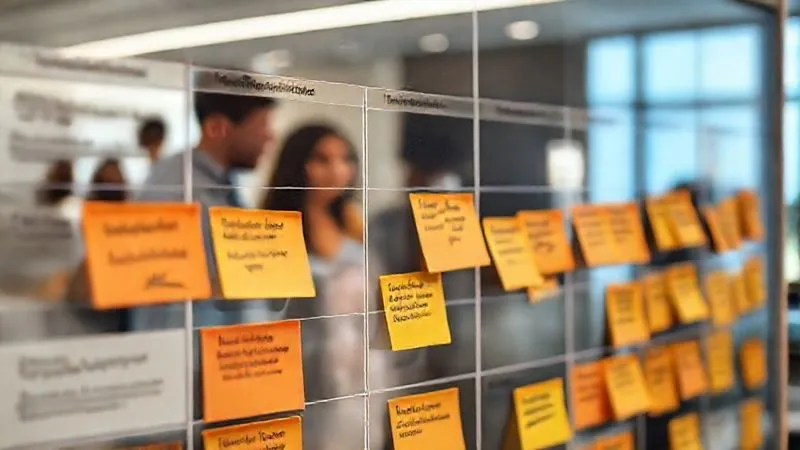
- Review Existing Sprint Backlogs: Identify current user stories and tasks.
- Integrate Accessibility Acceptance Criteria: For each relevant story, add specific, testable accessibility criteria (e.g., "Must be keyboard navigable," "Must have sufficient color contrast").
- Create Dedicated Accessibility User Stories: For larger accessibility debt or new features, create specific user stories focused on inclusive design.
- Estimate and Prioritize: Work with the development team to estimate the effort for accessibility tasks and advocate for their prioritization based on business impact and risk.
- Define 'Done' with Accessibility: Ensure that every sprint's 'Definition of Done' explicitly includes passing relevant accessibility checks.
Strategy 3: Leverage Data & Empathy – The Power of User Stories and Analytics
While business value is crucial, the human element should never be overlooked. Combining quantitative data with qualitative insights and empathetic storytelling is a potent combination for gaining stakeholder buy-in for accessibility in UX sprints. This approach makes the abstract concept of accessibility concrete and relatable.
Show, Don't Just Tell: Accessibility Testing with Real Users
One of the most impactful experiences you can provide to stakeholders is direct exposure to accessibility challenges. Conduct usability testing sessions where participants with various disabilities (e.g., screen reader users, individuals with motor impairments) attempt to use your product. Invite stakeholders to observe these sessions, either live or through recorded videos.
Watching someone struggle with a seemingly simple task because of an inaccessible design can be incredibly powerful. It transforms abstract concepts into tangible human experiences, fostering empathy and a deeper understanding of the problem. Nielsen Norman Group consistently highlights the value of direct user observation in UX.
Utilizing Analytics to Highlight Accessibility Gaps
Beyond qualitative user testing, leverage your product analytics. While direct accessibility metrics might be nascent, you can infer issues. Look for higher bounce rates, lower completion rates, or increased time-on-task for specific user segments or pages that are known to have accessibility issues. For instance, if a complex form has a significantly higher abandonment rate for users accessing via older browsers or specific assistive technologies, it could indicate an accessibility barrier.
"Empathy is a powerful catalyst, but data is the engine. Combine the 'why' of human impact with the 'what' of measurable outcomes to move stakeholders." — My guiding principle.
Case Study: Elevating Engagement at GlobalTech via Accessibility Insights
GlobalTech, a large enterprise software company, was struggling with low engagement rates for their employee benefits portal. Through a combination of analytics and targeted accessibility testing, their UX team discovered a significant drop-off for users attempting to navigate the portal using keyboard-only input or screen readers. They found that complex navigation menus were not properly tagged, and interactive elements lacked appropriate ARIA labels.
The UX team presented these findings to stakeholders, including compelling video clips of employees struggling with the portal. They coupled this with data showing that a significant portion of their global workforce relied on assistive technologies. The result was a dedicated two-sprint initiative to re-architect key navigation and interactive components for accessibility. Post-implementation, they observed a 7% increase in portal engagement and a 12% reduction in help desk tickets related to navigation issues, demonstrating a clear link between accessibility and overall user satisfaction.
Strategy 4: Integrate Accessibility Early and Often – Shifting Left in UX Sprints
The most cost-effective and efficient way to achieve accessibility is to embed it from the very beginning of the design process, not to bolt it on at the end. This 'shift left' approach is critical for gaining stakeholder buy-in for accessibility in UX sprints because it minimizes rework and demonstrates a proactive, rather than reactive, strategy.
Accessibility as a Design System Component
Advocate for accessibility to be a core component of your design system. When every button, form field, modal, and navigation element is designed and coded with accessibility in mind from the outset, it becomes the default. This means defining accessible color palettes, typography, focus states, keyboard interactions, and ARIA attributes as part of the system's guidelines and component libraries.
Once accessibility is baked into the design system, designers and developers don't have to 'remember' to make things accessible; it's simply how the components are built. This drastically reduces the overhead, cost, and time typically associated with accessibility efforts, making it far more appealing to stakeholders.
Empowering Your Team with Accessibility Knowledge
A lack of accessibility knowledge across the team – from product owners to designers and developers – is a common barrier. Invest in training and resources. This doesn't mean everyone needs to be an accessibility expert, but product owners should understand the basic principles, designers should know how to create accessible wireframes and prototypes, and developers should be proficient in implementing accessible code.
When the entire team is empowered with this knowledge, accessibility naturally becomes part of daily discussions and decisions, rather than a separate, siloed task. This distributed responsibility makes the sprint process more efficient and ensures accessibility is considered at every stage.
- Discovery & Research: Include accessibility considerations in user research and competitive analysis.
- Ideation & Wireframing: Sketch and wireframe with keyboard navigation, screen reader flow, and color contrast in mind.
- Prototyping & Testing: Build accessible prototypes and conduct early accessibility testing with diverse users.
- Design System Integration: Ensure all new components are designed and developed with accessibility as a fundamental requirement.
- Development: Developers are trained and equipped to write accessible code, using semantic HTML and ARIA where necessary.
- QA & Release: Integrate automated and manual accessibility checks into your QA process before every release.

Strategy 5: Foster Champions and Build a Culture of Inclusivity
Ultimately, sustainable accessibility requires a cultural shift within the organization. This isn't something one designer can achieve alone. It requires identifying allies, nurturing champions, and continuously fostering an environment where inclusivity is celebrated and understood as a shared responsibility. This is the long game for gaining stakeholder buy-in for accessibility in UX sprints.
Identifying and Nurturing Accessibility Advocates
Look for individuals within product, engineering, and leadership who show a natural inclination towards inclusivity or who have personal experiences that resonate with accessibility challenges. These individuals can become your internal champions. Empower them with knowledge, resources, and recognition. When a product owner or a senior engineer champions accessibility, their voice often carries more weight with their peers and leadership.
Establish an 'Accessibility Guild' or a community of practice. This provides a forum for sharing knowledge, best practices, and celebrating successes. It also creates a supportive network for those passionate about accessibility, preventing burnout and fostering collective progress.
Continuous Education and Awareness Programs
Accessibility isn't a one-and-done training session; it's a continuous learning journey. Implement regular, bite-sized training modules, workshops, and lunch-and-learns. Share success stories, new WCAG updates, and insights from user feedback. Keep accessibility top-of-mind without making it feel like a burden.
Celebrate accessibility wins, no matter how small. Did a team successfully implement a complex accessible component? Highlight their achievement. Did a user with a disability provide positive feedback about a new feature? Share that story widely. This positive reinforcement reinforces the value of accessibility and motivates others to contribute.
| Program | Audience | Frequency | Benefit |
|---|---|---|---|
| Accessibility Fundamentals Workshop | All Product/Design/Dev | Quarterly | Shared foundational knowledge |
| Advanced Screen Reader Testing | UX/QA Teams | Bi-Annually | Deepened testing skills |
| Accessibility Guild Meetup | Champions & Enthusiasts | Monthly | Knowledge sharing & community |
| Success Story Spotlights | Company-wide | Ongoing | Motivation & cultural reinforcement |
"Culture eats strategy for breakfast. Build a culture where accessibility is simply 'how we do things here,' and buy-in will become intrinsic, not something you constantly fight for." — My enduring philosophy.
Overcoming Common Objections and Sustaining Momentum
Even with the best strategies, you'll inevitably encounter objections. 'We don't have time,' 'We don't have the budget,' or 'It's not a priority right now' are common refrains. Your role as an expert is to anticipate these and have well-reasoned responses ready, backed by data and empathy.
Addressing 'No Time' and 'No Budget'
When faced with 'no time,' reiterate the 'shift left' principle. Explain that integrating accessibility early saves more time and money than fixing it later. Frame it as preventative maintenance rather than reactive repair. Use the case studies we discussed to illustrate the long-term cost of inaction versus the upfront investment.
For 'no budget,' break down the costs. Often, the perceived cost is much higher than the actual cost of integrating accessibility into existing workflows. Highlight the ROI, the market expansion, and the legal risk mitigation. Sometimes, it's about reallocating existing resources or demonstrating how a small investment now prevents a much larger expense later.
Measuring Progress and Celebrating Wins
To sustain momentum, you need to show progress. Establish clear metrics for accessibility, even if they are simple to start. This could be the percentage of WCAG-compliant components in your design system, the number of accessibility-related bugs reduced per sprint, or positive feedback from users with disabilities. Regularly report these metrics to stakeholders, demonstrating the tangible impact of their investment.
Celebrate every win, big or small. Publicly acknowledge teams and individuals who contribute to accessibility. Create a sense of shared accomplishment. This positive reinforcement is crucial for maintaining enthusiasm and ensuring accessibility remains a continuous priority, rather than a fleeting initiative.
Frequently Asked Questions (FAQ)
Q: How do I get product owners to prioritize accessibility when they're focused on new features? The key is to integrate accessibility into the definition of 'done' for new features and demonstrate its impact on core product KPIs. Show how an inaccessible feature will fail to achieve its full potential or even create negative PR. Frame it as a quality gate, not an optional extra. Use data from competitors who have suffered due to poor accessibility.
Q: What if our development team lacks accessibility expertise? This is a common challenge. Start by investing in targeted training for key developers. Advocate for dedicated time in sprints for accessibility 'spikes' or research tasks. Encourage the adoption of accessibility linting tools and automated testing frameworks in the CI/CD pipeline. Build an internal knowledge base and foster peer-to-peer learning.
Q: Is it really worth the effort for a small percentage of users? Absolutely. First, the 'small percentage' is often underestimated; global statistics show a significant portion of the population lives with some form of disability. Second, features designed for accessibility often benefit a much wider audience ('curb cut effect'). Third, it's a legal and ethical imperative that protects your brand and expands your market, impacting far more than just direct users with disabilities.
Q: How do I measure the ROI of accessibility in a way that resonates with executives? Focus on quantifiable metrics: reduced legal risk (potential lawsuit avoidance), increased market share (tapping into the disability economy), improved brand reputation (reflected in customer loyalty and positive sentiment), reduced customer support costs (fewer usability issues), and improved SEO (accessible sites often rank better). Use the case studies and data points provided in this article as a starting point.
Q: We're already mid-project; is it too late to start thinking about accessibility? It's never too late, but the later you start, the more costly and complex it becomes. Focus on identifying the highest-impact accessibility issues first (e.g., critical user flows, core navigation). Prioritize these as technical debt, or integrate them into upcoming feature development. Implement a 'no new accessibility debt' policy going forward, ensuring all new work is accessible from the start.
Key Takeaways and Final Thoughts
- Quantify the Business Value: Always connect accessibility to ROI, market reach, and risk mitigation.
- Speak Their Language: Frame accessibility as a product imperative, integrating it into user stories and KPIs.
- Leverage Data & Empathy: Use real user stories, observational testing, and analytics to make accessibility tangible.
- Shift Left: Integrate accessibility early into your design system and development process to save time and money.
- Foster Champions: Build a culture of inclusivity by empowering advocates and providing continuous education.
Gaining stakeholder buy-in for accessibility in UX sprints isn't a one-time battle; it's an ongoing journey of education, advocacy, and strategic integration. By adopting these proven strategies, you can transform accessibility from a perceived burden into a celebrated driver of innovation and business success. Remember, an accessible product isn't just a better product for some; it's a better product for everyone. Go forth and champion inclusive design – your users, your team, and your stakeholders will thank you for it.
Recommended Reading
- IaC Failures? 7 Steps to Diagnose & Fix Intermittent Deployments Fast
- 7 Steps to Integrate Sustainable AI into Legacy Industrial Systems
- Mastering Privacy-by-Design in Legacy Systems: 7 Strategic Steps
- 7 Steps to Measure ROI for Supply Chain Blockchain: A Veteran's Guide
- 7 Strategies: Optimizing Smartphone AI Chip Integration for Edge Computing







0 Comentários: