 By
By 
Stop Mobile App User Churn from Intrusive Location Permissions: A Trust-Building Blueprint
For over 15 years in the mobile technology space, I've witnessed countless brilliant app concepts falter, not due to a lack of features or innovation, but because they stumbled on a seemingly minor detail: how they requested and managed user data, particularly location permissions. It's a common pitfall, one that can erode user trust faster than almost anything else, leading to frustratingly high churn rates.
The problem is clear: users are increasingly privacy-conscious. They've grown weary of apps demanding access to their every move without a compelling, transparent reason. This perceived invasiveness isn't just an annoyance; it's a breach of trust that often results in immediate uninstalls, leaving developers scratching their heads about why their perfectly functional app isn't retaining users.
In this definitive guide, I'll share a battle-tested framework, drawing from my extensive experience, to help you navigate the complex landscape of location permissions. You'll discover actionable strategies, real-world analogies, and expert insights designed to not only reduce churn but also to foster a deeper, more trusting relationship with your user base. We're going to transform a common churn trigger into a powerful retention tool.
The Root Cause: Why Users Flinch at Location Requests
Before we can fix the problem, we must understand its origins. Why do users react so negatively to location permission requests? It boils down to a fundamental conflict between app functionality and personal privacy.
Users are inherently wary of surveillance. Stories of data breaches, targeted advertising, and the general feeling of being 'tracked' have made them hyper-sensitive to any request for personal information, especially location data which is perceived as highly intimate. When an app asks for 'Always Allow' location access without a crystal-clear justification, it triggers an immediate red flag.
Another significant factor is the lack of a clear value proposition. If a user doesn't immediately understand *why* their location is needed for the app to function, or how it directly benefits their experience, the request feels intrusive and unnecessary. This often leads to permission fatigue, where users reflexively deny all permissions just to get past the prompts.
Expert Insight: "Trust is the currency of the digital age. In the mobile world, every permission request is a withdrawal or a deposit into your user's trust account. Make too many unbacked withdrawals, and you'll find yourself bankrupt on retention."
Strategy 1: The 'Just-in-Time' Permission Request
One of the most impactful shifts you can make is moving away from upfront, blanket permission requests. Instead, adopt a 'just-in-time' approach, asking for location access only when it's genuinely needed for a specific feature the user is about to engage with.
Educate Before You Ask
Never surprise your users with a system-level permission prompt. Always precede it with a custom in-app explanation. This 'pre-permission' screen is your opportunity to clearly articulate why you need location, what specific feature it enables, and how it benefits the user directly. Use simple language and compelling visuals.
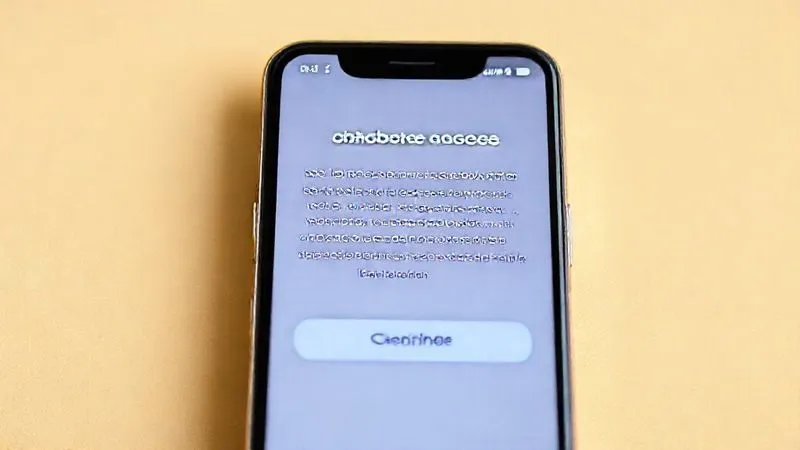
For example, if your weather app needs location to show local forecasts, don't ask for it on first launch. Wait until the user taps a 'Show Local Weather' button, then present your educational screen: "To give you accurate local weather, we need your location. This helps us tailor forecasts specifically for you." *Then* trigger the system prompt.
The Value Exchange Principle
Every permission request should be framed as a value exchange. The user grants access, and in return, they receive a tangible benefit. If the benefit isn't immediately obvious, you haven't done enough to explain it. This principle is crucial to stop mobile app user churn from intrusive location permissions.
- Identify Core Features: Pinpoint exactly which features absolutely require location data.
- Map User Journey: Determine the precise moment a user will attempt to use that feature.
- Craft Pre-Permission UI: Design a clear, engaging screen explaining the benefit.
- Trigger System Prompt: Only after the user understands and agrees to the pre-permission, trigger the native OS permission dialog.
- Handle Denial Gracefully: If denied, offer alternative ways to use the feature (e.g., manual input) or explain how to enable it later.
Strategy 2: Granular Control and Transparent Explanations
Users appreciate choice and clarity. Offering granular control over location access and being utterly transparent about its usage can significantly boost trust and reduce the perception of intrusiveness. Don't ask for 'Always Allow' if 'While Using the App' is sufficient.
Offering Different Tiers of Access
Modern mobile operating systems (iOS and Android) provide different levels of location access: 'Always Allow,' 'While Using the App,' and 'Only This Time' (iOS 13+). Always request the least permissive option that still allows your core feature to function. If a feature *truly* requires 'Always Allow' (e.g., a family safety tracker), you must provide an exceptionally strong rationale and demonstrate its critical value.
| Permission Type | Ideal Use Case | User Perception |
|---|---|---|
| While Using the App | Navigation, local search, ride-sharing during active use | Generally acceptable, less intrusive |
| Always Allow | Geofencing, location-based reminders, family safety tracking (background operations) | Highly intrusive, requires strong justification and trust |
| Only This Time (iOS) | One-off location sharing, quick check-in | Least intrusive, highest trust, but limited for continuous services |
Clear, Concise Rationale
Beyond the 'pre-permission' screen, ensure your app's privacy policy is easily accessible and written in plain language, not legalese. Explain *why* you collect location data, *how* you use it, *who* it might be shared with (if anyone), and *how long* you retain it. Transparency isn't just good practice; it's often a legal requirement (e.g., GDPR, CCPA).
According to a study by Cisco, 86% of consumers care about their data privacy and want more control. Providing clear explanations directly addresses this concern. This level of honesty builds a robust foundation of trust, a critical factor to stop mobile app user churn from intrusive location permissions.
Learn more about mobile privacy disclosures from the FTC.Strategy 3: The Power of Opt-Out and Easy Revocation
Users are more likely to grant a permission if they know they can easily revoke it later without penalty. Feeling trapped or unable to change settings is a major source of frustration and drives churn.
In-App Permission Management
While users can always manage permissions through their device's system settings, making it easy within your app significantly improves the user experience. Provide a clear, intuitive path within your app's settings menu to review and modify granted permissions. This demonstrates respect for user autonomy.
Even if you link directly to the system settings for location, the fact that you offer this pathway from within your app builds confidence. It tells users, "We trust you to manage your data, and we're not trying to hide anything."
Re-Engaging Denied Users
If a user denies a crucial location permission, don't just give up. Instead, offer alternative pathways or re-engage them with a 'soft prompt' later. For example, if they denied location for a weather app, you could offer a feature where they manually enter their city, or gently remind them of the benefits of location access next time they open the app, without immediately re-triggering the system prompt.
This approach respects their choice while providing an opportunity to educate them further or offer a different value proposition. Persistent, aggressive re-prompting, however, will only exacerbate churn.
Strategy 4: Building Trust Through Data Minimization and Security
The permission itself is only the first step. What you do with the location data *after* it's granted is equally, if not more, important for long-term trust and retention. Data minimization and robust security are non-negotiable.
Collect Only What's Necessary
As marketing guru Seth Godin often emphasizes, "The best way to earn trust is to be trustworthy." This applies directly to data collection. Audit your app's data collection practices rigorously. Are you collecting precise GPS coordinates when a general city-level location would suffice? Are you storing location history for longer than truly necessary for your app's functionality? Each piece of unnecessary data collected represents a potential liability and a trust deficit.
Expert Insight: "The most secure data is the data you never collected in the first place. Prioritize data minimization as a core design principle, not an afterthought."
For example, a local deals app might only need a user's current city to show relevant offers, not their exact street address. Anonymize or pseudonymize data whenever possible, especially if you're using it for analytics or aggregate insights rather than personalized features.
Robust Security and Anonymization
Once you've collected location data, it's your responsibility to protect it. Implement industry-standard security measures: encryption at rest and in transit, secure servers, regular security audits, and strict access controls. Be transparent about these measures in your privacy policy.
Consider anonymizing or aggregating location data immediately after use if individual tracking isn't critical for the feature. This reduces the risk profile and demonstrates a commitment to user privacy, further helping to stop mobile app user churn from intrusive location permissions.
Explore the NIST Privacy Framework for robust data protection guidelines.Strategy 5: A/B Testing Your Permission Prompts
Intuition is valuable, but data is king. You can't truly understand what resonates with your users until you test it. A/B testing different permission prompt strategies is crucial for optimizing acceptance rates and minimizing churn.
Metrics to Track
When A/B testing location permission prompts, focus on these key metrics:
- Permission Acceptance Rate: The percentage of users who grant the permission.
- Churn Rate Post-Prompt: The percentage of users who uninstall or stop using the app shortly after being prompted.
- Feature Usage Rate: How often users engage with the location-dependent feature after granting permission.
- Retention Rates: Long-term retention of users who saw different prompt variations.
Iterative Improvement Cycle
Treat your permission prompts as a critical part of your onboarding funnel, subject to continuous optimization. Small changes in wording, timing, or visual design can have significant impacts on user behavior.
- Hypothesize: Formulate a clear hypothesis (e.g., "Adding an illustrative image to the pre-permission screen will increase acceptance by 5%").
- Design Variations: Create two or more distinct versions of your permission flow (A and B).
- Implement & Deploy: Integrate the variations into your app and deploy them to different user segments.
- Collect Data: Track the key metrics over a statistically significant period.
- Analyze & Iterate: Identify the winning variation, understand *why* it performed better, and then formulate a new hypothesis for the next test.
Case Study: How GeoApp Reduced Churn by 15% with A/B Testing
GeoApp, a popular navigation and local discovery tool, was struggling with a 20% churn rate within the first week, largely attributed to users denying 'Always Allow' location. Initially, they presented the system prompt immediately upon launch. After implementing an A/B test, they introduced a 'pre-permission' screen that explained the benefits of background location (e.g., "Get real-time traffic alerts even when the app is closed").
Version A (original) maintained the 20% churn. Version B (with the pre-permission screen) saw a 15% reduction in churn, dropping it to 17%, and a 10% increase in 'Always Allow' grants. This small but significant change, driven by testing, demonstrated how a proactive, educational approach could dramatically improve user retention and stop mobile app user churn from intrusive location permissions.
Strategy 6: Leveraging Geofencing for Smarter Location Use
Not all location needs require constant, precise tracking. Modern mobile technology, particularly geofencing, offers a more privacy-friendly and battery-efficient alternative for many use cases.
Passive vs. Active Location
Traditional location tracking often involves continuously requesting GPS coordinates, which is resource-intensive and raises privacy concerns. Geofencing, however, allows you to define virtual boundaries (geofences) and receive notifications only when a user enters or exits these predefined areas. This is a passive form of location monitoring that conserves battery and feels less intrusive.
For example, a retail app could use geofencing to send a coupon notification when a user enters the vicinity of their store, rather than constantly tracking their every move. This 'event-driven' location use is far more palatable to users.
User-Centric Geofence Applications
Think about how geofencing can enhance user experience without being overly demanding:
- Smart Reminders: "Remember to pick up milk when you leave work."
- Localized Offers: "Welcome to Coffee Corner! Here's 10% off your next latte."
- Automated Actions: "Arriving home? Your smart lights are turning on."
These examples provide clear, immediate value to the user, justifying the underlying (and less intrusive) location permission. By focusing on smart, contextual location use, you can build features that delight users while respecting their privacy, a vital component to stop mobile app user churn from intrusive location permissions.
Strategy 7: The Ethical Imperative – Beyond Compliance
While legal compliance (GDPR, CCPA, etc.) provides a baseline, truly successful apps go beyond mere adherence. They embed an ethical imperative into their design, making user privacy and trust a core value proposition.
Cultivating a Culture of Privacy
Privacy by Design shouldn't just be a buzzword; it should be a guiding principle for your entire development team. From product managers to engineers and designers, everyone should understand the importance of user data protection. Regular training, internal guidelines, and a clear chain of accountability can foster a culture where privacy is considered at every stage of the app development lifecycle.
As the digital landscape evolves, user expectations around privacy will only intensify. Proactively adopting a privacy-first mindset positions your app as a trustworthy entity, differentiating you from competitors who might still be playing catch-up.
Understand the full scope of GDPR compliance.Transparency as a Competitive Advantage
In a crowded app market, trust is a powerful differentiator. Apps that are transparent about their data practices, offer granular controls, and clearly articulate the value exchange for location permissions will inevitably build stronger, more loyal user bases. This loyalty translates directly into higher retention and reduced churn.
Think of it as a long-term investment. While it might require more upfront effort to design privacy-friendly features and communication, the dividends in terms of user satisfaction and sustained growth are invaluable. By consistently acting in the user's best interest, you actively stop mobile app user churn from intrusive location permissions and foster a community of advocates.
Frequently Asked Questions (FAQ)
Q1: What if my app absolutely *needs* 'Always Allow' location? If your app's core functionality genuinely relies on 'Always Allow' (e.g., a child safety tracker, smart home automation based on presence), you must provide an exceptionally strong, clear, and continuous value proposition. Educate the user thoroughly on *why* it's needed, *what* specific benefits they get, and assure them of robust data security and minimization. Consider a multi-step onboarding flow for this specific permission, allowing users to opt-in after experiencing limited features first.
Q2: How do I measure the impact of permission changes on churn? To measure impact, track key metrics like permission grant rates, app uninstalls, and 7-day or 30-day retention rates for cohorts of users who experienced different permission flows. Utilize A/B testing frameworks within your analytics platform. Look for correlations between permission denial/acceptance and subsequent user behavior. Qualitative feedback through surveys can also provide valuable insights into user sentiment.
Q3: Are there legal implications I should be aware of regarding location data? Absolutely. Major regulations like GDPR (Europe), CCPA (California), LGPD (Brazil), and others have strict requirements for collecting, processing, and storing personal data, including location. These often mandate explicit consent, data minimization, the right to access/delete data, and transparent privacy policies. Consult legal counsel to ensure full compliance for your target markets. Ignoring these can lead to significant fines and reputational damage.
Q4: What's the biggest mistake developers make with location permissions? The biggest mistake is treating location permissions as a mere technical hurdle rather than a critical user experience and trust-building opportunity. Asking for permissions too early, without context, or requesting more access than truly needed are common pitfalls. Failing to explain the 'why' and 'how' of data usage is a surefire way to alienate users and drive churn.
Q5: Can I re-ask for a denied permission? Yes, but with caution. Most OS platforms allow re-asking, but repeated, aggressive prompts can be highly irritating. Instead of immediately re-prompting, try to offer an alternative (e.g., manual input for a location-based feature). If the feature is critical, you can re-prompt after a period, or when the user attempts to use the feature again, but always preface it with a fresh, clear explanation of the benefits they are missing out on. Never badger your users.
Key Takeaways and Final Thoughts
Mastering location permissions is no longer just about getting technical access; it's about mastering user trust. To stop mobile app user churn from intrusive location permissions, you must:
- Implement 'Just-in-Time' permission requests, educating users before presenting system prompts.
- Offer granular control and provide transparent, easy-to-understand explanations for data usage.
- Empower users with easy opt-out and revocation options, accessible within your app.
- Prioritize data minimization and robust security measures for all collected location data.
- Continuously A/B test your permission flows to optimize acceptance and retention.
- Leverage smarter location technologies like geofencing to reduce intrusiveness.
- Cultivate an ethical, privacy-first design culture that goes beyond mere compliance.
In today's privacy-conscious world, the apps that succeed are those that view user trust as their most valuable asset. By adopting these strategies, you're not just reducing churn; you're building a foundation for long-term user loyalty and advocacy. Embrace transparency, respect user choice, and watch your retention rates soar. The future of mobile app success belongs to the trustworthy.
Recommended Reading
- Unlock Robot Efficiency: Resolving Common Programming Errors Permanently
- AWS Web App Slow? 7 Expert Steps to Diagnose & Fix Performance Dips
- Slash Cloud Container Costs 30%? A 7-Step Guide to Peak Performance
- 5 Pro Tips: Optimize Ray Tracing Performance on Next-Gen Consoles
- How to Prove ROI of Advanced Data Analysis Tools to Executives: A 7-Step Guide








0 Comentários: