 By
By 
Fixing Slow Data Fetching in Real-Time Dynamic Web Applications
For over 15 years in the trenches of web development, I’ve witnessed the evolution of the web from static pages to incredibly interactive, real-time experiences. Yet, despite all the advancements, one persistent challenge continues to plague developers and frustrate users: slow data fetching. It’s a silent killer of user engagement, turning what should be a seamless interaction into a stuttering, laggy nightmare.
The problem is often multifaceted, stemming from inefficient database queries, bloated API responses, network latency, or even suboptimal client-side rendering. In a world where milliseconds matter, a sluggish application doesn't just annoy users; it directly impacts conversion rates, retention, and ultimately, your business's bottom line. I've seen promising applications falter not because of a lack of features, but simply because they couldn't deliver data fast enough.
This article isn't just about identifying the problems; it's about providing you with a comprehensive, expert-backed framework for **fixing slow data fetching in real-time dynamic web applications**. We'll dive deep into actionable strategies, real-world case studies, and advanced techniques that I've personally used to transform struggling applications into high-performance powerhouses. By the end, you'll have a clear roadmap to diagnose, optimize, and future-proof your real-time data flows.
Understanding the Root Causes of Real-Time Latency
Before we can fix a problem, we must understand its origins. Slow data fetching in real-time applications rarely has a single culprit; it's often a confluence of factors across the entire stack. From my experience, the issues typically fall into several key categories:
Network Latency and Bandwidth Limitations
Even the most optimized application can't escape the laws of physics. Data has to travel from your server to the user's device, and this journey introduces latency. Factors like geographical distance, unreliable internet connections, and even the sheer volume of data being transferred can significantly impact response times. This is especially critical for real-time applications where every millisecond counts for a smooth user experience.
Inefficient Database Queries and Schema Design
The database is often the first bottleneck I look for. A poorly designed schema, missing indexes, or complex, unoptimized queries can bring even the most powerful database to its knees. When a real-time application needs to fetch data for hundreds or thousands of concurrent users, a single slow query can cascade into a complete system slowdown. I've seen developers spend weeks optimizing front-end code only to realize the core issue was a `JOIN` operation taking seconds instead of milliseconds.
Suboptimal API Design and Server-Side Processing
Your API acts as the bridge between your front-end and back-end, and its efficiency is paramount. Over-fetching (retrieving more data than needed), under-fetching (requiring multiple requests for related data), and inefficient serialization/deserialization processes can add significant overhead. Furthermore, heavy server-side processing, unoptimized algorithms, or synchronous operations can lead to delayed responses, especially under high load.
Client-Side Overheads and Rendering Bottlenecks
It's easy to blame the backend, but the client-side plays a crucial role too. Excessive DOM manipulation, large JavaScript bundles, inefficient state management, or rendering complex UIs with large datasets can make an application feel slow, even if the data arrives quickly. The user's device capabilities also vary wildly, meaning what performs well on a high-end machine might crawl on an older smartphone.
Strategy 1: Optimizing Your Database and Backend Infrastructure
The foundation of any fast real-time application lies in a robust and efficient backend. This is where data lives, and if it's slow at the source, no amount of front-end wizardry will truly fix the problem. In my career, focusing on database and infrastructure first has consistently yielded the most significant performance gains.
Advanced Indexing and Query Optimization
Indexes are your database's secret weapon for speed. They allow the database to quickly locate data without scanning every row. However, too many indexes can slow down writes, so it's a balance. Here's my approach:
- Analyze Slow Queries: Use your database's built-in tools (e.g., `EXPLAIN` in SQL databases, profiling tools for NoSQL) to identify queries taking the longest.
- Create Targeted Indexes: Add indexes to columns frequently used in `WHERE` clauses, `JOIN` conditions, and `ORDER BY` clauses. For composite keys, consider the order of columns in the index.
- Optimize Query Structure: Refactor complex queries. Avoid `SELECT *` in production code; fetch only the columns you need. Break down large `JOIN` operations if possible.
- Understand Your ORM: If using an ORM, be aware of N+1 query problems and eager/lazy loading strategies. Configure it to fetch data efficiently.
Database Sharding and Replication for Scalability
As your application scales, a single database server can become a bottleneck. Sharding distributes your data across multiple database instances, while replication creates copies of your database to handle read loads and provide fault tolerance. This horizontal scaling is critical for high-traffic real-time systems.
- Sharding: Partition your database into smaller, more manageable pieces (shards) based on a key (e.g., user ID, geographical region). Each shard lives on a separate server, distributing the load.
- Replication: Maintain multiple copies of your database. Direct all write operations to the primary (master) and distribute read operations across multiple secondary (replica) servers.
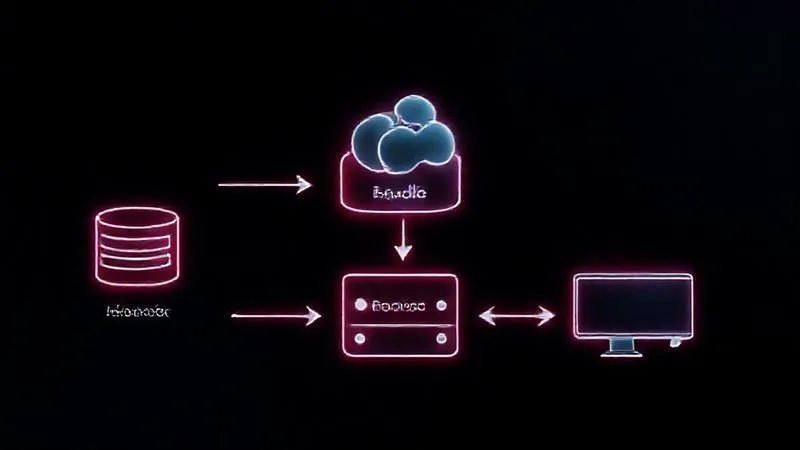
Leveraging Caching Layers: Redis, Memcached, and CDNs
Caching is perhaps the most impactful strategy for **fixing slow data fetching in real-time dynamic web applications**. It stores frequently accessed data in a fast, temporary storage layer, reducing the need to hit the primary database or API endpoint repeatedly.
Expert Insight: "Caching is not just an optimization; it's a fundamental architectural pattern for high-performance distributed systems. If you're not caching, you're leaving performance on the table."
- In-Memory Caches (Redis, Memcached): Ideal for storing frequently accessed query results, user sessions, or computed data. They offer extremely low-latency access.
- Content Delivery Networks (CDNs): For static assets (images, CSS, JS), CDNs geographically distribute your content closer to users, reducing network latency. While not directly for dynamic data, they free up your main servers.
- Application-Level Caching: Implement caching within your application logic for specific data sets that don't change frequently.
When implementing caching, consider cache invalidation strategies (e.g., time-to-live, event-driven invalidation) to ensure data freshness. A stale cache can be worse than no cache at all.
Strategy 2: Revolutionizing API Design and Data Transmission Protocols
Your API is the gateway to your data. Its design and the protocols it uses dictate how efficiently information travels. Moving beyond traditional REST can unlock significant performance gains, especially for real-time scenarios.
Embracing GraphQL for Efficient Data Fetching
GraphQL addresses a common pain point with REST: over-fetching and under-fetching. With GraphQL, the client specifies exactly what data it needs, and the server responds with precisely that data, in a single request. This minimizes network payload and reduces the number of round trips.
- Reduced Network Overhead: Clients fetch only what's necessary, leading to smaller response sizes.
- Single Request for Complex Data: No more N+1 requests to fetch related resources.
- Schema-Driven Development: A strong type system provides clarity and powerful developer tooling.
The Power of WebSockets for Real-Time Communication
For truly real-time updates, WebSockets are indispensable. Unlike HTTP, which is request-response based, WebSockets provide a persistent, full-duplex communication channel between the client and server. This means the server can push updates to the client without the client having to constantly poll for new data.
- Low Latency: Eliminates the overhead of establishing a new connection for each message.
- Server-Initiated Updates: Ideal for chat applications, live dashboards, stock tickers, and multiplayer games.
- Reduced Resource Usage: More efficient than long polling for continuous updates.
Streamlining REST APIs with Pagination, Filtering, and Throttling
While GraphQL and WebSockets offer advanced solutions, many applications still rely on REST. You can significantly improve REST API performance by implementing best practices:
- Pagination: Never return an entire dataset in one go. Implement offset-based or cursor-based pagination to fetch data in manageable chunks.
- Filtering and Sorting: Allow clients to specify filters and sort orders in their requests, ensuring they only receive relevant data in the desired order.
- Field Selection: Enable clients to request specific fields (e.g., `?fields=id,name,email`) to avoid over-fetching.
- Throttling and Rate Limiting: Protect your API from abuse and ensure fair usage by limiting the number of requests a client can make within a given timeframe. This prevents a single client from monopolizing resources.
Here's a comparison of common data fetching protocols:
| Protocol | Communication Model | Use Case | Pros | Cons |
|---|---|---|---|---|
| REST | Request/Response (HTTP) | CRUD operations, general APIs | Simple, widely adopted, stateless | Over/under-fetching, multiple requests for complex data |
| GraphQL | Single Query (HTTP POST) | Complex data graphs, flexible data needs | Precise data fetching, reduced round-trips | Steeper learning curve, caching complexity |
| WebSockets | Persistent, Full-Duplex | Real-time updates, chat, notifications | Low latency, server-push capabilities | Stateful connections, more complex server logic |
Strategy 3: Smart Client-Side Data Management and UI Optimization
Even with a lightning-fast backend, a poorly optimized client-side can create the illusion of slow data fetching. The user experience is paramount, and optimizing how data is consumed and displayed on the front-end is critical for **fixing slow data fetching in real-time dynamic web applications**.
Client-Side Caching with Service Workers and IndexedDB
Just as caching helps on the server, it's vital on the client. Service Workers, a powerful browser API, enable you to intercept network requests and cache responses. This can dramatically improve perceived performance, especially for repeat visits or offline capabilities.
- Service Workers: Cache API responses, static assets, and even entire pages. They can serve cached content instantly, making your app feel incredibly fast.
- IndexedDB: A low-level API for client-side storage of significant amounts of structured data, including files/blobs. Ideal for caching large datasets that need to persist across sessions.
Predictive Fetching and Preloading Data
Anticipate user needs! If you can predict what data a user might need next (e.g., the next page in a pagination sequence, related items in a product catalog), you can preload that data in the background before they explicitly request it. This makes the transition feel instantaneous.
- Link Preloading: Use `` or `` to hint to the browser about resources that will be needed soon.
- Speculative Fetching: Based on user behavior patterns (e.g., hovering over a link), trigger a data fetch in the background.
Virtualization and Lazy Loading for Large Datasets
Displaying thousands of rows in a table or hundreds of images simultaneously can cripple browser performance. These techniques ensure you only render what's visible or needed.
- Virtualization (Windowing): For long lists or tables, only render the items currently visible in the viewport. As the user scrolls, new items are rendered, and old, off-screen items are unmounted.
- Lazy Loading: Defer loading of non-critical resources (like images or components below the fold) until they are actually needed.
Case Study: How ConnectFlow Boosted User Engagement by 40%
ConnectFlow, a real-time collaboration platform, struggled with user retention due to slow loading dashboards. Their users, often in fast-paced environments, would abandon the platform if data wasn't instantly available. I worked with their team to implement a multi-pronged client-side optimization strategy. We integrated Service Workers for client-side API response caching, allowing dashboards to load near-instantly on repeat visits. For their large data tables, we introduced virtualization, reducing initial render times by over 80%. Additionally, we refactored their data fetching logic to use predictive fetching for frequently accessed reports. This combination dramatically improved perceived performance. Within three months, ConnectFlow reported a 40% increase in daily active users and a 25% reduction in bounce rate for their core dashboards, directly attributing it to the improved speed and responsiveness.
Strategy 4: Implementing Server-Side Rendering (SSR) and Static Site Generation (SSG)
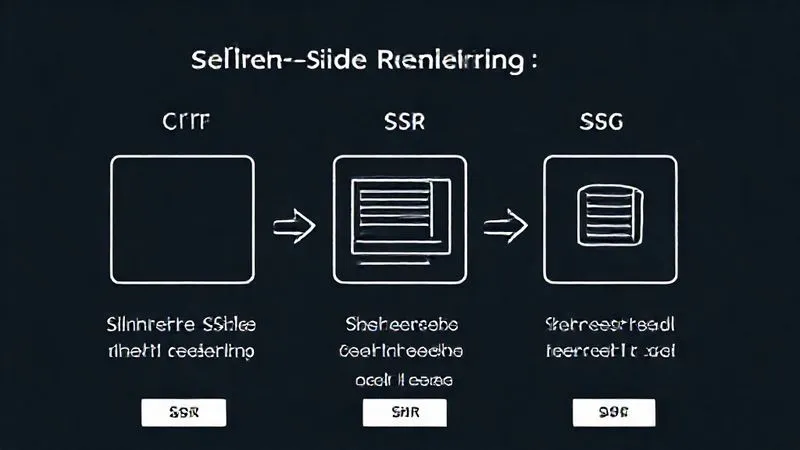
While client-side rendering (CSR) offers dynamic interactivity, it often comes with a performance trade-off: an empty initial page load. SSR and SSG provide ways to deliver fully formed HTML to the browser, significantly improving initial load times and SEO.
When to Choose SSR for Dynamic Content
Server-Side Rendering means your server renders the initial HTML for your application on each request, including the dynamic data. This pre-rendered HTML is then sent to the client, where a JavaScript bundle 'hydrates' it, making it interactive. It’s perfect for applications where SEO and a fast initial content paint are critical, and the data is highly dynamic.
- Improved Initial Load Time: Users see content much faster because the browser receives ready-to-render HTML.
- Better SEO: Search engine crawlers can easily index content that's present in the initial HTML, which is a common challenge for purely client-side rendered apps.
- Enhanced User Experience: Provides a faster 'time to first paint' and 'time to interactive' for users, especially on slower networks or devices.
- Dynamic Data: Ideal for applications where the content changes frequently and needs to be up-to-date for every user.
Enhancing Performance with SSG for Mostly Static Parts
Static Site Generation involves rendering your application's HTML at build time, not on each request. The generated static files can then be served from a CDN, offering unparalleled speed and security. While not suitable for entirely dynamic, real-time data, SSG is excellent for parts of your application that don't change often, like landing pages, blogs, or product listings.
- Blazing Fast Performance: Pre-built HTML files served from a CDN are incredibly fast.
- High Security: No server-side processing at runtime means fewer attack vectors.
- Scalability: CDNs handle traffic spikes effortlessly, as they're serving static assets.
Many modern frameworks like Next.js and Nuxt.js offer hybrid approaches, allowing you to use SSR for some pages and SSG for others, giving you the best of both worlds. This strategic use of server-side rendering is a powerful tool for **fixing slow data fetching in real-time dynamic web applications**.
Strategy 5: Proactive Monitoring, Profiling, and Performance Testing
Optimization is not a one-time task; it's an ongoing process. Without robust monitoring and testing, you're flying blind. My approach always includes setting up comprehensive performance analytics from day one, allowing for continuous improvement.
Essential Tools for Backend Performance Monitoring
You need to know what's happening on your servers in real-time. Application Performance Monitoring (APM) tools are indispensable here.
- New Relic or Datadog: Provide deep insights into database queries, API response times, server resource utilization, and error rates. They can pinpoint bottlenecks down to the line of code.
- Prometheus & Grafana: Open-source alternatives for collecting and visualizing metrics from your servers and applications. Excellent for custom dashboards.
- Log Management (ELK Stack, Splunk): Centralize and analyze your application logs to identify recurring errors or performance anomalies.
Client-Side Performance Profiling with Browser DevTools
Your browser's developer tools are incredibly powerful for diagnosing front-end performance issues. I use them constantly.
- Performance Tab: Record user interactions to see frame rates, CPU usage, and network requests. Identify long-running JavaScript tasks or layout thrashing.
- Network Tab: Analyze individual API call timings, response sizes, and waterfall diagrams to spot slow requests or large payloads.
- Lighthouse: A built-in Chrome tool that provides an automated audit of your web page's performance, accessibility, best practices, and SEO.
Load Testing and Stress Testing Your Application
Don't wait for your application to break under load. Simulate high traffic conditions to identify bottlenecks before they impact real users.
- JMeter or k6: Tools for scripting and executing load tests, simulating many concurrent users making requests to your API and web application.
- Stress Testing: Push your system beyond its breaking point to understand its limits and how it behaves under extreme stress. This helps in capacity planning.
- Continuous Integration (CI): Integrate performance tests into your CI/CD pipeline to catch regressions early.
Expert Insight: "Performance optimization is not a destination; it's a journey. Continuous monitoring and testing are your compass and map. Without them, you're just guessing."
According to a study by Deloitte Digital, even a 0.1-second improvement in site speed can lead to significant increases in conversion rates. This underscores why proactive monitoring and testing for **fixing slow data fetching in real-time dynamic web applications** is not just good practice, but a business imperative.
Advanced Techniques: Edge Computing and Event-Driven Architectures
For applications pushing the boundaries of real-time performance and global reach, these advanced techniques can provide that extra edge.
Reducing Latency with Edge Computing and Serverless Functions
Edge computing brings computation and data storage closer to the data sources, and therefore, closer to the users. Instead of routing every request to a central data center, certain operations can be performed at the network's edge, drastically reducing latency.
- CDN Edge Functions (e.g., Cloudflare Workers, AWS Lambda@Edge): Run small, serverless functions at CDN edge locations. Ideal for authentication, A/B testing, or even simple API proxying to reduce origin server load and latency.
- Localized Data Processing: For IoT devices or geographically dispersed user bases, process data closer to the source before sending aggregated results to a central backend.
This approach is particularly powerful for real-time applications serving a global audience, where network latency is a primary concern. By moving logic closer to the user, you shave off crucial milliseconds.

Building Resilient Real-Time Systems with Kafka and RabbitMQ
For highly scalable and resilient real-time applications, especially those dealing with high volumes of events, message queues and streaming platforms are essential. They decouple components, allowing them to process data asynchronously and handle bursts of traffic without overwhelming downstream services.
- Apache Kafka: A distributed streaming platform excellent for high-throughput, fault-tolerant real-time data feeds. It allows you to process streams of events, making it perfect for analytics, log aggregation, and real-time data pipelines.
- RabbitMQ: A robust message broker that provides durable messaging, flexible routing, and clustering. Great for task queues, asynchronous processing, and ensuring message delivery even if services go down.
These tools help in building microservices architectures where different services can communicate reliably and asynchronously, preventing a single slow service from blocking the entire data flow. This is a critical aspect of **fixing slow data fetching in real-time dynamic web applications** at scale.
Frequently Asked Questions (FAQ)
Q: Is GraphQL always better than REST for real-time applications? Not necessarily. While GraphQL offers superior data fetching efficiency by allowing clients to request precisely what they need, it doesn't inherently provide real-time push capabilities like WebSockets. For truly real-time updates, you'd combine GraphQL with WebSockets (e.g., GraphQL Subscriptions) or use WebSockets directly. For simpler APIs where data structures are stable, a well-optimized REST API can still be very performant. The 'best' choice depends on your specific use case, data complexity, and team's expertise.
Q: How much caching is too much? What are the risks? There's a sweet spot. Too little caching means hitting your database/API too often. Too much caching, or poorly managed caching, can lead to stale data being served to users, which can be worse than slow data. Risks include: cache invalidation complexity (ensuring data freshness), increased memory usage on cache servers, and a single point of failure if your cache cluster isn't highly available. Always have a clear cache invalidation strategy and monitor cache hit rates and data freshness.
Q: What's the biggest mistake developers make when optimizing data fetching? In my experience, the biggest mistake is premature optimization without proper profiling. Developers often jump to complex solutions like microservices or GraphQL without first identifying the actual bottleneck. Start with profiling your entire stack – database, API, and client-side – to pinpoint the exact source of the slowness. Often, a few targeted index additions or a simple query refactor can yield more significant gains than a complete architectural overhaul.
Q: Can front-end frameworks like React/Vue/Angular contribute to slow data fetching? While the frameworks themselves are generally optimized, how they are used can certainly contribute to perceived slowness. Common issues include: excessive re-renders (leading to UI jank), large JavaScript bundle sizes (slowing initial load), inefficient state management (causing unnecessary data fetching or processing), or rendering large datasets without virtualization. It's not the framework's fault, but rather how it's implemented by the development team.
Q: How do I convince my team or management to invest in performance optimization? Frame it in terms of business value. Quantify the impact of current performance issues (e.g., lost conversions, increased bounce rates, user churn, higher infrastructure costs due to inefficient code). Present a clear ROI for optimization efforts, using metrics like expected improvements in conversion, user retention, or server cost savings. Share competitor benchmarks if possible. As marketing guru Seth Godin often emphasizes, understanding the 'why' behind the 'what' is crucial for gaining buy-in. Performance is not just a technical concern; it's a strategic business advantage.
Key Takeaways and Final Thoughts
Tackling slow data fetching in real-time dynamic web applications is a complex but incredibly rewarding endeavor. It requires a holistic approach, looking at every layer of your application from the database to the user's screen. Throughout my career, I've seen that the most successful teams are those who treat performance as a continuous priority, not an afterthought.
- Start at the Source: Optimize your database and backend infrastructure first. Efficient queries and smart caching are foundational.
- Modernize Your API: Consider GraphQL for precise data fetching and WebSockets for true real-time push capabilities.
- Empower the Client: Leverage client-side caching, predictive fetching, and UI optimization techniques like virtualization.
- Speed Up Initial Loads: Strategically employ Server-Side Rendering (SSR) and Static Site Generation (SSG).
- Monitor and Test Relentlessly: Use APM tools, browser dev tools, and load testing to continuously identify and address bottlenecks.
- Think Ahead: Explore advanced techniques like edge computing and event-driven architectures for global scale.
Remember, a fast application is a delightful application. By investing in these strategies, you're not just fixing a technical problem; you're enhancing user experience, boosting engagement, and ultimately, ensuring the long-term success of your real-time web application. The journey to a high-performance system is continuous, but with these tools and insights, you're well-equipped to navigate it. Keep learning, keep optimizing, and keep building amazing real-time experiences!
Recommended Reading
- Why Aren't Investors Funding Your Startup After Demo Day? 7 Key Reasons
- Unlock Data's True Value: How to Practically Assess Data Quality Dimensions
- Backups Encrypted? 7 Steps to Restore Data After Ransomware Attack
- 7 Proactive Steps: Mitigate Security Vulnerabilities in Critical Open Source Tools
- 5G Latency Slash: Real-Time Industrial Control Mastery Explained








0 Comentários: